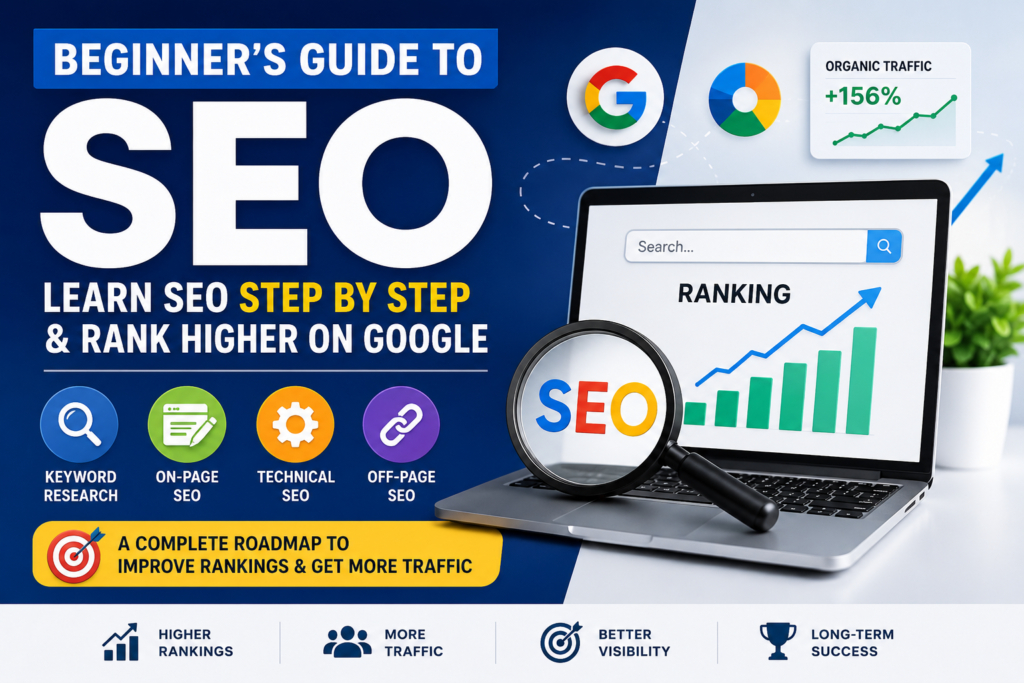
Beginner’s Guide to SEO: Learn SEO Step by Step: Part-1
Imagine you’ve built a beautiful website. Your products are excellent, your content is valuable, and your services can genuinely help people.
But there’s one problem.
Nobody can find your website.
This is exactly where Search Engine Optimization (SEO) comes in.
SEO helps your website appear in front of people who are actively searching for information, products, or services on Google and other search engines. Instead of paying for every visitor through advertisements, SEO helps you earn organic traffic that continues to grow over time.
The best part?
You don’t need to be a programmer or a digital marketing expert to start learning SEO.
This guide is written in simple language and explains everything step by step. Whether you’re a business owner, blogger, student, freelancer, or marketer, you’ll learn the fundamentals of SEO without getting overwhelmed.
By the end of this guide, you’ll understand:
- What SEO really means
- How Google finds and ranks websites
- Why SEO matters more than ever in 2026
- The complete SEO process from start to finish
- How to optimize your website for both Google and AI search
- Common SEO mistakes to avoid
- A practical 30-day SEO action plan
Let’s begin with the basics.
Table of Contents
- What is SEO?
- How Search Engines Work
- Why SEO Matters in 2026
- Understanding Search Intent
- The Four Pillars of SEO
- Keyword Research
- On-Page SEO
- Technical SEO
- Off-Page SEO
- Local SEO
- AI SEO & GEO (Generative Engine Optimization)
- Best Free SEO Tools
- 30-Day SEO Checklist
- Common SEO Mistakes
- Frequently Asked Questions
What is SEO?
SEO stands for Search Engine Optimization.
It is the process of improving your website so that search engines like Google understand your content and show it to people searching for related topics.
For example, imagine you own a bakery in Kolkata.
When someone searches:
- best bakery near me
- birthday cakes in Kolkata
- chocolate cake delivery
Google shows several websites.
SEO helps your website become one of those results.
The higher your website ranks, the more visitors you’ll receive.
Those visitors can become customers without you paying for every click.
A Simple SEO Example
Think of Google as the world’s largest library.
Every website is like a book.
SEO helps Google understand:
- What your book is about
- Whether it’s useful
- Whether readers trust it
- Whether it deserves to be recommended
If your content is clear, helpful, and trustworthy, Google is more likely to recommend it.
Organic Search vs Paid Search
Many beginners confuse SEO with Google Ads.
Here’s the difference.
| SEO | Google Ads |
|---|---|
| Free traffic | Paid traffic |
| Takes time | Instant visibility |
| Long-term results | Stops when budget ends |
| Builds authority | Good for immediate leads |
| Higher long-term ROI | Higher short-term cost |
The best digital marketing strategy often combines both SEO and paid advertising.
Why Should Beginners Learn SEO?
Learning SEO gives you a valuable skill that benefits almost every online business.
SEO can help you:
- Grow your website traffic
- Generate qualified leads
- Increase online sales
- Build brand authority
- Reduce advertising costs
- Earn passive traffic for years
Whether you’re running a personal blog or an eCommerce store, SEO can become one of your most powerful marketing channels.
Beginner Checklist
Before moving ahead, make sure you understand:
☐ SEO helps websites rank organically.
☐ SEO is a long-term investment.
☐ Better rankings usually mean more visitors.
☐ SEO is about helping users first—not tricking Google.
How Search Engines Work
Have you ever wondered how Google finds billions of web pages in just a fraction of a second?
It happens through three main processes:
- Crawling
- Indexing
- Ranking
Let’s understand each one.
Step 1: Crawling
Google uses automated programs called crawlers (or spiders) to discover new and updated pages across the web.
These bots follow links from one page to another, continuously exploring websites.
If your website has clear navigation and internal links, it’s easier for Google to discover your pages.
Think of crawling as a delivery person walking through every street in a city to note down every address.
Step 2: Indexing
After Google discovers a page, it analyzes the content.
It looks at:
- Page title
- Headings
- Images
- Keywords
- Videos
- Internal links
- Page quality
- User experience
If the content is valuable and accessible, Google stores it in its massive index—a giant database of web pages.
If a page isn’t indexed, it won’t appear in search results.
Step 3: Ranking
When someone performs a search, Google doesn’t search the entire internet in real time. Instead, it searches its index and selects the pages that best answer the user’s query.
To decide which pages appear first, Google considers many factors, including:
- Relevance to the search query
- Content quality
- Website authority
- Page speed
- Mobile friendliness
- User experience
- Freshness of content
- Helpful information
- Backlinks from reputable websites
The goal is simple:
Provide the most useful answer to the user.
What Is a Google Algorithm?
A Google algorithm is a complex system that decides which pages appear in search results and in what order.
While Google uses hundreds of ranking signals, one principle remains consistent:
Create content that genuinely helps users.
Instead of trying to “game” the algorithm, focus on publishing useful, accurate, and trustworthy content.
Why Doesn’t Every Website Rank?
Many websites fail to rank because they make common mistakes such as:
- Publishing thin or low-quality content
- Ignoring search intent
- Slow loading speed
- Poor mobile experience
- Duplicate content
- Weak internal linking
- No backlinks
- Outdated information
The good news is that all of these issues can be improved with a structured SEO strategy.
Search Engine Checklist
☐ Google must be able to crawl your website.
☐ Your pages should be indexed.
☐ Content should answer real user questions.
☐ Website should load quickly.
☐ Pages should be mobile-friendly.
☐ Content should be original and useful.
Why SEO Matters More Than Ever in 2026
SEO has changed dramatically over the last few years.
Today, people don’t just search on Google. They also ask questions to AI assistants and use AI-powered search experiences that summarize information before showing website links.
This means businesses need to create content that is clear, trustworthy, and genuinely useful—not just filled with keywords.
Modern SEO is about solving problems, demonstrating expertise, and providing the best possible experience for users.
Here are some reasons why SEO remains one of the most effective digital marketing strategies:
- It attracts people who are already interested in what you offer.
- It builds long-term visibility without paying for every visitor.
- It increases brand credibility because users tend to trust organic results.
- High-quality content can continue bringing traffic for months or even years.
- Well-optimized content is more likely to appear in AI-generated search results and answer engines.
SEO Is No Longer Just About Google
Today, your content may be discovered through:
- Google Search
- AI-powered search experiences
- Voice assistants
- YouTube
- Image search
- Local map results
Creating content that is accurate, well-structured, and easy to understand increases its chances of being surfaced across these platforms.
Key Takeaways
✔ SEO helps search engines understand your website.
✔ Google works through crawling, indexing, and ranking.
✔ Great SEO focuses on users before algorithms.
✔ Helpful, original content is the foundation of long-term success.
✔ Modern SEO also prepares your content for AI-powered search experiences.
Part 2: Building a Strong SEO Foundation
In Part 1, you learned what SEO is, how Google works, and why SEO is one of the most valuable digital marketing skills in 2026.
Now it’s time to learn how to actually optimize a website.
Think of SEO like building a house.
- Your website is the house.
- Technical SEO is the foundation.
- Content is the structure.
- Keywords are the address.
- Backlinks are recommendations from your neighbors.
If you skip the foundation, the house won’t stand for long.
Let’s begin with one of the biggest mistakes beginners make.
Step 1: Understand Search Intent
Many people believe SEO is all about keywords.
It isn’t.
The real goal is to understand why someone is searching.
This is called Search Intent.
If your content matches what users are looking for, Google is much more likely to rank it.
The Four Types of Search Intent
1. Informational Intent
The user wants to learn something.
Examples:
- What is SEO?
- How does Google work?
- How to lose weight naturally
Best content:
- Blog posts
- Guides
- Tutorials
- Videos
2. Navigational Intent
The user already knows where they want to go.
Examples:
- Facebook login
- Gmail
- Click Force Digital
SEO opportunity:
Make sure your homepage and important pages are easy to find.
3. Commercial Investigation
The user is comparing options before making a decision.
Examples:
- Best SEO tools
- Shopify vs WooCommerce
- Best digital marketing agency
Best content:
- Comparison articles
- Reviews
- Listicles
- Case studies
4. Transactional Intent
The user is ready to buy.
Examples:
- Hire SEO expert
- Buy running shoes
- Digital marketing services
Best content:
- Service pages
- Product pages
- Landing pages
Why Search Intent Matters
Imagine someone searches:
“Best DSLR camera under ₹50,000.”
Instead of writing an article explaining what a DSLR camera is, you should compare cameras within that budget.
Google wants to satisfy the user’s intent—not just match the words they typed.
Search Intent Checklist
✅ Identify why someone is searching.
✅ Match your content to their goal.
✅ Answer their question quickly.
✅ Provide complete information.
Step 2: Keyword Research
Keywords are the words and phrases people type into Google.
Without keyword research, you’re creating content based on guesswork.
With keyword research, you’re creating content people are already searching for.
What Makes a Good Keyword?
A good keyword has:
- Decent search volume
- Low to medium competition (for beginners)
- High relevance
- Clear search intent
Example:
Instead of targeting
SEO
try
- Beginner SEO Guide
- SEO for small business
- SEO checklist
- SEO tips for beginners
These are called Long-Tail Keywords.
Short-Tail vs Long-Tail Keywords
| Short-Tail Keyword | Long-Tail Keyword |
|---|---|
| SEO | Beginner’s guide to SEO |
| Shoes | Best running shoes for beginners |
| Laptop | Best laptop for students under ₹50,000 |
Long-tail keywords usually have:
✔ Less competition
✔ Higher conversion rates
✔ Easier rankings
Where to Find Keyword Ideas
You don’t need expensive software when you’re starting.
Here are some free methods.
1. Google Autocomplete
Start typing your topic.
Google automatically suggests popular searches.
Example:
SEO…
Google may suggest:
- SEO for beginners
- SEO checklist
- SEO tutorial
- SEO strategy
These suggestions come from real searches.
2. People Also Ask
After searching on Google, you’ll notice a section called People Also Ask.
These questions are excellent blog topics.
If many people ask them, Google considers them important.
3. Related Searches
Scroll to the bottom of Google’s search results.
You’ll find related searches that can inspire additional sections in your article.
4. Google Search Console
Once your website starts receiving traffic, Google Search Console will show the keywords people use to find your website.
This is one of the most valuable SEO tools available—and it’s free.
5. Keyword Research Tools
Popular options include:
- Google Keyword Planner
- Ubersuggest
- Ahrefs
- Semrush
- Moz
- Keyword Surfer
As a beginner, focus on understanding search intent rather than chasing high-volume keywords.
How to Choose the Right Keyword
Let’s say you own a saree business.
Instead of targeting
Sarees
consider:
- Pure silk sarees online
- Banarasi sarees in Kolkata
- Wedding sarees for brides
- Cotton sarees under ₹2,000
These are more specific and often easier to rank for.
Beginner Keyword Checklist
☐ One primary keyword
☐ 5–10 related keywords
☐ Search intent matches the article
☐ Low competition (where possible)
☐ Natural language
Step 3: On-Page SEO
On-page SEO refers to everything you optimize on your own website.
Think of it as making each page as useful and understandable as possible for both users and search engines.
1. Write an Attention-Grabbing Title
Your title is the first thing users notice.
Instead of:
SEO Tips
Write:
25 SEO Tips Every Beginner Should Know in 2026
Good titles are:
✔ Clear
✔ Specific
✔ Benefit-driven
✔ Include your main keyword
2. Create a Compelling Meta Description
Although meta descriptions are not a direct ranking factor, they influence click-through rates.
Example:
Learn SEO step by step with this beginner-friendly guide. Discover keyword research, on-page SEO, technical SEO, and proven strategies to improve your Google rankings.
Aim for around 150–160 characters.
3. Use Headings Properly
A well-structured page is easier to read and easier for search engines to understand.
Use:
H1 → Main title
H2 → Main sections
H3 → Subsections
Avoid skipping heading levels unnecessarily.
4. Write for Humans First
A common mistake is stuffing keywords into every sentence.
Instead, write naturally.
Example:
❌ Bad:
SEO guide SEO tips SEO beginners SEO tutorial.
✔ Good:
This beginner-friendly SEO guide explains the essential techniques you need to improve your website’s visibility in search results.
Google understands context better than ever.
Focus on clarity, not repetition.
5. Use Short Paragraphs
Large blocks of text can be intimidating.
Instead:
- Use short paragraphs.
- Break up ideas with headings.
- Include bullet points where appropriate.
This improves readability on both desktop and mobile devices.
6. Optimize Images
Images make your content more engaging, but they should also be optimized.
Best practices:
- Compress images before uploading.
- Use descriptive file names.
- Add meaningful alt text.
- Choose modern formats like WebP when possible.
Example:
Instead of:
IMG_12345.jpg
Use:
beginner-seo-guide-checklist.webp
7. Internal Linking
Link to other relevant pages on your website.
Benefits include:
- Helping users discover more content.
- Distributing page authority.
- Assisting search engines in crawling your site.
Example:
If you’re writing about keyword research, link to your article on Google Search Console or content marketing.
8. External Linking
Don’t hesitate to link to trustworthy resources when they add value.
This demonstrates that your content is well-researched and user-focused.
9. Improve Readability
Your content should be easy to scan.
Use:
- Short sentences
- Bullet points
- Tables
- Images
- Examples
- Checklists
- Simple language
If a 12-year-old can understand your explanation, you’re probably doing a great job.
10. Include a Clear Call-to-Action (CTA)
Every page should encourage the reader to take the next step.
Examples:
- Download a checklist.
- Contact your team.
- Subscribe to your newsletter.
- Explore related articles.
- Request a free SEO audit.
A strong CTA helps convert visitors into leads or customers.
On-Page SEO Checklist
Before publishing any page, ask yourself:
☐ Does the title include the main keyword?
☐ Is the meta description compelling?
☐ Are headings structured correctly?
☐ Is the content easy to read?
☐ Have I added internal links?
☐ Are images optimized?
☐ Does the page answer the user’s question?
☐ Have I included a clear call-to-action?
Quick Exercise
Choose one page on your website and review it using the checklist above.
Make notes on what needs improvement, then update the page.
SEO is not about making everything perfect on day one—it’s about continuous improvement.
Part 3: Technical SEO, Off-Page SEO & Local SEO
By now, you’ve learned:
- How search engines work
- Why search intent matters
- How to find the right keywords
- How to optimize your content with On-Page SEO
Now let’s explore the behind-the-scenes factors that help Google trust and rank your website.
Don’t worry if the term Technical SEO sounds intimidating. You don’t need to be a developer to understand the basics.
Step 4: Technical SEO Made Simple
Think of Technical SEO as the maintenance work that keeps your website running smoothly.
Imagine visiting a shop where:
- The entrance is blocked.
- The lights don’t work.
- It takes two minutes for the door to open.
You’d probably leave.
The same thing happens online. If your website is slow, broken, or difficult to use, visitors leave—and Google notices.
Technical SEO ensures your website is easy for both users and search engines to access.
1. Website Speed
People expect websites to load quickly.
Research consistently shows that visitors are more likely to leave if a page takes too long to load.
A fast website improves:
- User experience
- Search rankings
- Conversion rates
- Customer satisfaction
How to Improve Website Speed
✔ Compress images before uploading.
✔ Use modern image formats like WebP.
✔ Remove unnecessary plugins.
✔ Enable browser caching.
✔ Minify CSS and JavaScript files.
✔ Use reliable hosting.
✔ Use a Content Delivery Network (CDN) if you have a global audience.
Beginner Checklist
☐ Images compressed
☐ Large videos optimized
☐ Unused plugins removed
☐ Website loads quickly on mobile
2. Mobile-Friendly Website
Today, most people browse websites using their smartphones.
Google also uses mobile-first indexing, which means it primarily evaluates the mobile version of your website.
Your website should:
- Display properly on phones
- Have readable text
- Use clickable buttons
- Avoid horizontal scrolling
- Load quickly on mobile networks
If your website looks great on a desktop but is difficult to use on a phone, you’re likely losing visitors.
3. HTTPS Security
Have you noticed the small padlock icon next to many website addresses?
That indicates the site is using HTTPS, which encrypts data between the visitor and the website.
Benefits include:
- Improved trust
- Better security
- A small SEO advantage
- Protection for forms and online transactions
If your website still uses HTTP instead of HTTPS, upgrading should be a priority.
4. XML Sitemap
An XML sitemap is like a roadmap for search engines.
It lists the important pages on your website and helps Google discover them more efficiently.
Most WordPress SEO plugins generate an XML sitemap automatically.
After creating it, submit it through Google Search Console.
5. Robots.txt
The robots.txt file tells search engine crawlers which parts of your website they should or shouldn’t access.
For beginners, it’s usually best to leave the default settings unless you understand the implications of making changes.
Incorrect settings can accidentally block important pages from appearing in search results.
6. Fix Broken Links
Broken links create a poor user experience.
Imagine clicking a promising link only to land on a “404 Page Not Found” error.
Regularly check your website for:
- Broken internal links
- Broken external links
- Missing images
- Redirect issues
Keeping your website healthy improves both usability and SEO.
7. Core Web Vitals
Core Web Vitals measure how users experience your website.
They focus on three areas:
Loading Speed
How quickly the main content appears.
Interactivity
How fast the website responds to user actions.
Visual Stability
Whether elements unexpectedly move around while the page is loading.
A stable, responsive website creates a much better experience for visitors.
Technical SEO Checklist
Before publishing your website, confirm that:
☐ Pages load quickly.
☐ Website is mobile-friendly.
☐ HTTPS is enabled.
☐ XML sitemap exists.
☐ Google Search Console is connected.
☐ No important broken links.
☐ Navigation is simple.
☐ Images are optimized.
Step 5: Off-Page SEO
If On-Page SEO is about improving your own website, Off-Page SEO focuses on how the rest of the internet views your website.
The biggest factor here is backlinks.
What Is a Backlink?
A backlink is simply a link from another website to yours.
Imagine you’re looking for a good restaurant.
If one friend recommends it, that’s helpful.
If twenty respected chefs recommend it, you’re much more likely to trust it.
Google thinks the same way.
Quality backlinks act as votes of confidence.
Not All Backlinks Are Equal
A single backlink from a respected website is often worth more than dozens of low-quality links.
For example:
✔ Government websites
✔ Educational institutions
✔ Reputable news websites
✔ Well-known industry blogs
These links generally carry more authority than links from low-quality directories or spammy websites.
How Beginners Can Earn Backlinks
You don’t need complicated strategies.
Start with these proven methods:
Create Helpful Content
People naturally link to useful guides, tutorials, checklists, and original research.
The better your content, the more likely it is to earn links over time.
Guest Blogging
Write valuable articles for reputable websites in your niche.
In return, you may receive a backlink to your website.
Focus on quality websites that are relevant to your industry.
Resource Pages
Many websites maintain pages listing useful tools and resources.
If your content genuinely adds value, you can reach out and suggest it as an addition.
Share Your Expertise
Participate in:
- Industry forums
- Podcasts
- Webinars
- Interviews
- Online communities
As your reputation grows, backlinks often follow naturally.
Build Relationships
Networking with other creators, bloggers, and businesses can lead to collaborations and mentions that generate high-quality links.
What to Avoid
Never buy backlinks or participate in link schemes.
Avoid:
❌ Link farms
❌ Spam comments
❌ Private Blog Networks (PBNs)
❌ Automated link-building software
❌ Irrelevant directory submissions
Google is very good at identifying manipulative link-building practices, and they can do more harm than good.
Off-Page SEO Checklist
☐ Publish valuable content consistently.
☐ Earn backlinks naturally.
☐ Build industry relationships.
☐ Avoid buying links.
☐ Promote your content on social media.
☐ Encourage others to reference your work.
Step 6: Local SEO
If you serve customers in a specific city or region, Local SEO can significantly increase your visibility.
For example:
- Restaurants
- Doctors
- Lawyers
- Salons
- Retail stores
- Digital marketing agencies
- Home service businesses
When someone searches:
- “SEO agency near me”
- “Best bakery in Kolkata”
- “Plumber nearby”
Google often displays local business listings and maps before the regular search results.
Local SEO helps your business appear in these results.
How to Improve Local SEO
1. Create a Google Business Profile
This is one of the most important steps for any local business.
Complete every section, including:
- Business name
- Address
- Phone number
- Website
- Business hours
- Photos
- Services
- Categories
Keep this information accurate and up to date.
2. Keep Your Contact Information Consistent
Your business name, address, and phone number should match across your website and online directories.
Consistency helps search engines trust your business information.
3. Collect Customer Reviews
Positive reviews build credibility and influence purchasing decisions.
Encourage satisfied customers to leave honest reviews and respond professionally to all feedback.
4. Create Location-Specific Pages
If you serve multiple cities, create dedicated pages for each location.
For example:
- SEO Services in Kolkata
- SEO Services in Bhubaneswar
- SEO Services in Delhi
Each page should provide unique, locally relevant information.
5. Use Local Keywords
Instead of targeting:
Digital Marketing Agency
Target:
Digital Marketing Agency in Kolkata
SEO Consultant in Kolkata
Shopify Expert in Kolkata
Location-specific keywords help attract nearby customers.
Local SEO Checklist
☐ Google Business Profile created.
☐ Contact details consistent everywhere.
☐ Customer reviews collected.
☐ Location pages created (if applicable).
☐ Local keywords included naturally.
☐ Business information kept updated.
Common Technical SEO Mistakes Beginners Make
Avoid these common pitfalls:
- Ignoring mobile users
- Uploading huge image files
- Publishing duplicate content
- Forgetting internal links
- Leaving broken links unresolved
- Neglecting page speed
- Using confusing website navigation
- Blocking important pages in robots.txt
- Failing to monitor Google Search Console
SEO is not about perfection—it’s about continuous improvement.
Key Takeaways
✔ Technical SEO ensures your website is accessible, secure, and fast.
✔ A great user experience benefits both visitors and search rankings.
✔ Backlinks remain one of the strongest signals of authority when earned naturally.
✔ Local SEO is essential for businesses serving specific geographic areas.
✔ Small, consistent improvements often produce significant long-term results.
Part 4: AI SEO, Essential SEO Tools, 30-Day Action Plan & FAQs
Congratulations! If you’ve reached this point, you’ve already learned more about SEO than most beginners.
You now understand:
- How search engines work
- Search intent
- Keyword research
- On-page SEO
- Technical SEO
- Off-page SEO
- Local SEO
Now let’s look at the future of SEO and create your action plan.
Step 7: AI SEO & Generative Engine Optimization (GEO)
Search is changing rapidly.
People still use Google, but many are also asking questions to AI assistants and AI-powered search experiences. Instead of showing only a list of links, these tools often generate direct answers while citing trusted sources.
This shift has given rise to Generative Engine Optimization (GEO)—optimizing your content so it’s more likely to be referenced or summarized by AI systems.
The good news? If you’re already creating helpful, trustworthy content, you’re on the right track.
How to Optimize for AI Search
1. Answer Questions Clearly
AI systems prefer content that provides direct, concise answers.
Instead of writing long introductions before answering the question, provide the answer first and then explain it in detail.
Example:
Question: What is SEO?
Answer: SEO (Search Engine Optimization) is the process of improving your website so it appears higher in search engine results and attracts more organic traffic.
Then expand with examples and details.
2. Use Clear Headings
Organize your content with descriptive headings (H2 and H3).
This makes it easier for both readers and AI systems to understand your content structure.
3. Include FAQs
Frequently Asked Questions help you target conversational searches and voice queries.
Many AI assistants rely on well-structured FAQ sections when generating responses.
4. Demonstrate Expertise
Support your advice with:
- Practical experience
- Examples
- Step-by-step instructions
- Case studies
- Original insights
Avoid copying what everyone else is saying. Add your own perspective whenever possible.
5. Keep Content Updated
SEO changes frequently.
Review important articles every few months to:
- Update statistics
- Refresh screenshots
- Add new examples
- Remove outdated advice
Fresh content is more useful to readers and more likely to stay competitive.
AI SEO Checklist
☐ Answer questions directly.
☐ Use descriptive headings.
☐ Include FAQs.
☐ Share practical examples.
☐ Update content regularly.
☐ Focus on solving real problems.
Step 8: Essential SEO Tools for Beginners
You don’t need expensive software to get started.
Here are some of the most useful tools:
Google Search Console
A free tool that helps you:
- Monitor search performance
- Find indexing issues
- Discover keywords driving traffic
- Submit sitemaps
If you own a website, setting this up should be one of your first tasks.
Google Analytics 4 (GA4)
GA4 helps you understand:
- Where visitors come from
- Which pages perform best
- User engagement
- Conversions
This data helps you make informed decisions instead of guessing.
Google Keyword Planner
Useful for:
- Keyword ideas
- Search trends
- Estimated search volumes
Originally designed for advertisers, it’s also valuable for SEO research.
PageSpeed Insights
Use it to identify opportunities to improve page speed and user experience on both desktop and mobile devices.
Ubersuggest
A beginner-friendly tool for:
- Keyword research
- Competitor analysis
- SEO audits
- Content ideas
Ahrefs and Semrush
These are premium tools used by SEO professionals for:
- Backlink analysis
- Rank tracking
- Technical audits
- Competitor research
- Content gap analysis
You don’t need them immediately, but they become valuable as your website grows.
Beginner SEO Toolkit
Start with these free tools:
✅ Google Search Console
✅ Google Analytics 4
✅ Google Keyword Planner
✅ PageSpeed Insights
Add paid tools later if your budget allows.
Your 30-Day SEO Action Plan
SEO is a marathon, not a sprint.
Instead of trying to do everything at once, focus on steady progress.
Week 1: Build the Foundation
☐ Install an SEO plugin (if using WordPress).
☐ Connect Google Search Console.
☐ Set up Google Analytics.
☐ Submit your XML sitemap.
☐ Check mobile friendliness.
☐ Ensure HTTPS is enabled.
Week 2: Keyword Research
☐ Choose one main topic.
☐ Find one primary keyword.
☐ Identify 10–15 related keywords.
☐ Understand search intent.
☐ Create a content outline.
Week 3: Create Helpful Content
☐ Write one comprehensive article.
☐ Optimize headings.
☐ Add images.
☐ Write a compelling meta description.
☐ Add internal links.
☐ Publish your article.
Week 4: Improve and Promote
☐ Share the article on social media.
☐ Ask colleagues or industry contacts to read and share it.
☐ Update an older page with new information.
☐ Check Search Console for impressions and clicks.
☐ Plan your next article.
Repeat this process consistently. Over time, you’ll build a library of valuable content that attracts organic traffic.
Common SEO Myths
Let’s clear up a few misconceptions.
Myth 1: SEO Delivers Instant Results
Reality: SEO usually takes time. Consistent effort often pays off over months, not days.
Myth 2: More Keywords Mean Better Rankings
Reality: Keyword stuffing hurts readability and can reduce content quality.
Write naturally.
Myth 3: SEO Is a One-Time Task
Reality: SEO requires ongoing maintenance.
Update content, monitor performance, and continue improving your website.
Myth 4: You Need Hundreds of Backlinks
Reality: A few high-quality backlinks are often more valuable than many low-quality ones.
Myth 5: AI Can Completely Replace Human Writers
Reality: AI is an excellent assistant for brainstorming, outlining, and editing. However, the best-performing content usually includes human expertise, original insights, and real-world examples.
Frequently Asked Questions
How long does SEO take?
Many websites begin seeing improvements within a few months, but meaningful growth often requires consistent work over a longer period. The timeline depends on factors such as competition, website quality, and the effort invested.
Is SEO free?
Organic traffic doesn’t require payment for each click, but SEO does require an investment of time, skills, or professional services.
Can I learn SEO without coding?
Absolutely.
Most beginners can master the fundamentals of SEO without writing code, especially when using platforms like WordPress.
How many keywords should I target?
Focus on one primary keyword supported by several closely related keywords and natural variations.
Should I publish long articles?
It depends on the topic.
Rather than aiming for a specific word count, create content that fully answers the user’s question. Comprehensive guides often perform well because they provide complete solutions.
How often should I publish?
Consistency matters more than frequency.
One excellent article each week is generally more valuable than publishing several low-quality articles.
Final Thoughts
SEO isn’t about finding shortcuts or trying to outsmart search engines.
It’s about understanding what people are searching for and creating content that genuinely helps them.
Every well-written article, every optimized page, and every improvement to your website contributes to long-term growth.
Start small.
Publish consistently.
Measure your results.
Learn from your audience.
Refine your strategy.
Over time, these incremental improvements can lead to significant increases in organic traffic and business growth.
Remember, the websites that succeed with SEO are rarely the ones chasing quick wins. They’re the ones that consistently provide value, answer real questions, and build trust with their audience.
Your Complete Beginner SEO Checklist
Foundation
☐ Website is mobile-friendly
☐ HTTPS enabled
☐ Fast loading pages
☐ Google Search Console connected
☐ Google Analytics installed
Content
☐ Primary keyword selected
☐ Search intent identified
☐ Helpful, original content created
☐ Clear headings used
☐ Images optimized
☐ Internal links added
☐ Strong call-to-action included
Technical SEO
☐ XML sitemap submitted
☐ Broken links fixed
☐ Navigation is easy to use
☐ Pages can be crawled and indexed
Off-Page SEO
☐ Share content on relevant channels
☐ Earn backlinks naturally
☐ Build industry relationships
☐ Encourage reviews (for local businesses)
Ongoing Improvement
☐ Monitor Search Console weekly
☐ Update important articles regularly
☐ Publish consistently
☐ Track keyword rankings
☐ Improve based on user feedback and analytics
Ready to Grow Your Organic Traffic?
SEO isn’t about doing everything at once—it’s about taking the next right step.
Start by optimizing one page today. Then create one helpful article this week. Over time, those small actions can compound into a website that attracts visitors, builds trust, and generates leads consistently.
The best time to start with SEO was years ago. The second-best time is today.
Author: Ravi Kumar Singh
Read more about AI Search Optimisation Guide | Why Your Website Isn’t Generating Leads?
Pingback: How to Get Your Business Seen on ChatGPT When Customers Are Ready to Buy - ClickForce Digital - Best Digital Marketing Agency, Kolkata, India