
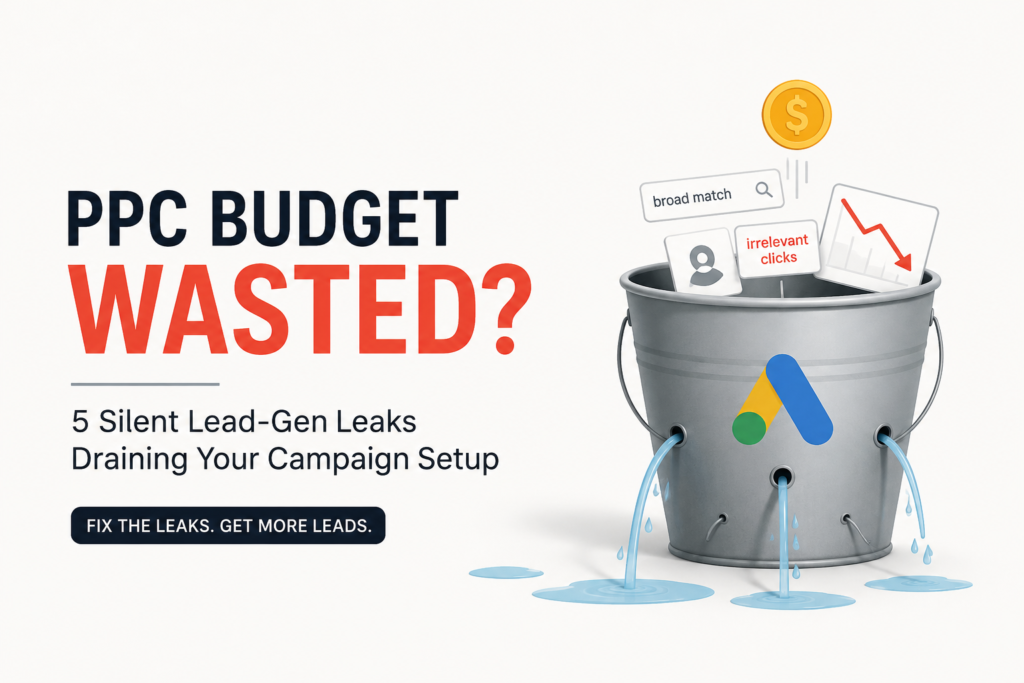
Is your PPC Budget Going to Waste? Here Are 5 Silent Campaign Mistakes That Could Be Costing You Leads
You launch a Google Ads campaign with high expectations. The keywords are in place, the ads are live, and clicks start coming in.
A week later, you check the numbers.
The traffic looks decent, but your inbox is quiet. Your sales team says the leads aren’t serious. Meanwhile, your advertising budget keeps disappearing every day.
Sound familiar?
This is one of the most common situations businesses face with Google Ads. And surprisingly, the problem usually isn’t your ad copy or Google’s algorithm.
More often than not, the real issue lies in the campaign setup.
Small configuration mistakes can quietly drain your budget without triggering obvious warning signs. Your ads continue running, Google keeps spending your budget, and reports may even show healthy click numbers—but the leads you’re paying for never materialize.
Over the years, we’ve noticed the same handful of setup mistakes appearing in account after account. The good news is that they’re usually easy to fix once you know where to look.
Let’s walk through five of the biggest budget leaks that quietly reduce campaign performance and what you can do to stop them.
1. Using Broad Match Keywords Too Early
Broad Match has become much smarter than it was a few years ago. Combined with Google’s Smart Bidding, it can uncover valuable search queries that you might never have targeted manually.
But there’s a catch.
Broad Match performs best when Google already understands what a good conversion looks like.
If your campaign is new or doesn’t generate enough conversions, Google’s machine learning has very little data to work with. Instead of finding qualified buyers, it starts matching your ads with loosely related searches that aren’t likely to convert.
Imagine you’re selling B2B accounting software.
You bid on “B2B accounting software” using Broad Match.
Instead of reaching finance managers looking for software, your ads may appear for searches such as:
- Free accounting course
- Bookkeeping jobs
- Accounting templates
- Personal tax calculator
Every one of those clicks costs money, yet very few of those users are likely to become customers.
We’ve seen accounts where nearly one-third of the advertising budget disappeared into irrelevant search terms simply because Broad Match was switched on before the campaign had enough conversion history.
A Better Approach
If you’re launching a new campaign, begin with Exact Match and Phrase Match keywords.
These match types give you much tighter control over who sees your ads while Google learns which searches actually generate leads.
Once your account consistently records around 30–50 meaningful conversions each month, you can gradually test Broad Match alongside Smart Bidding strategies such as Target CPA or Maximize Conversions.
At that stage, Google’s algorithms have enough historical data to make better decisions, and Broad Match often becomes a valuable tool rather than an expensive experiment.
The takeaway is simple: Broad Match isn’t the problem. Using it before your account is ready usually is.
2. Ignoring Negative Keywords Is Like Leaving the Tap Running
One of the quickest ways to waste a Google Ads budget is by overlooking negative keywords.
Many advertisers spend hours researching the right keywords to target but barely give any thought to the searches they don’t want to appear for. That’s a costly mistake.
Think about how people search online. Someone looking for “CRM software” isn’t always planning to buy. They could be searching for:
- CRM software free
- CRM software tutorial
- CRM software jobs
- CRM software PDF
- CRM software meaning
These users are looking for information, training, or employment—not your product or service.
If Google keeps showing your ads for these searches, every irrelevant click eats into your budget and makes your campaign look less profitable than it really is.
We’ve audited accounts where adding a well-structured negative keyword list reduced wasted spend by more than 25% within the first month. The campaigns didn’t suddenly get more traffic—they simply started attracting the right traffic.
How to Keep Irrelevant Clicks Out
Before launching a campaign, create a master negative keyword list.
Some common examples include:
- Free
- Jobs
- Career
- Salary
- Course
- Training
- Tutorial
- Template
- Definition
- DIY
- Open Source
Of course, every business is different. Your list should grow over time based on the search terms you’re actually seeing.
One habit that separates experienced PPC managers from beginners is checking the Search Terms Report every week.
This report tells you exactly what people typed before clicking your ad.
Whenever you spot a search that doesn’t match your ideal customer, add it as a negative keyword immediately.
Those small adjustments, repeated consistently, can save thousands over the life of a campaign.
Don’t Forget Cross-Negative Keywords
This is a simple tactic that many advertisers miss.
Suppose you have separate ad groups for:
- CRM Software
- CRM Pricing
- CRM Demo
Without cross-negative keywords, Google may show the wrong ad for a relevant search because multiple ad groups qualify for the same query.
By adding the primary keywords from one ad group as negatives in the others, you help Google send visitors to the most relevant landing page.
The result?
Better Quality Scores, more relevant ads, and usually lower cost per click.
3. Teaching Google to Optimise for the Wrong Goal
Google Ads is only as smart as the data you feed it.
If your conversion tracking isn’t set up properly, Google’s automation will happily optimise for actions that don’t actually generate revenue.
This is one of the most common issues we encounter during account audits.
At first glance, everything looks healthy.
The dashboard reports hundreds of conversions.
Cost per conversion appears impressively low.
But when you ask the sales team how many genuine enquiries came through, the answer is often disappointing.
So what went wrong?
Not Every Conversion Should Be a Primary Conversion
Many advertisers accidentally tell Google that actions like these are successful conversions:
- Landing page views
- Scroll depth
- Button clicks
- PDF downloads
- Time spent on page
- Contact page visits
These interactions are useful for understanding user behaviour, but they don’t necessarily indicate buying intent.
Imagine asking Google to Maximize Conversions.
The system quickly discovers that getting someone to visit a page is much easier—and much cheaper—than convincing them to request a demo or complete a purchase.
Naturally, it starts chasing the easiest conversions it can find.
Your reports look fantastic.
Your pipeline doesn’t.
Focus on Actions That Actually Matter
For lead generation campaigns, your Primary Conversions should usually include actions such as:
- Contact form submissions
- Demo requests
- Phone calls
- Appointment bookings
- Qualified lead submissions
- Purchases
Everything else should normally be tracked as Secondary Conversions.
That way, you still have valuable behavioural data for analysis without confusing Google’s bidding algorithm.
If You’re a B2B Business, Go One Step Further
A form submission doesn’t always become a customer.
Some leads are excellent.
Some are spam.
Others simply aren’t the right fit.
That’s why many successful B2B advertisers now use Offline Conversion Tracking (OCT).
Instead of telling Google that every form submission is valuable, they send data back from their CRM after the sales team qualifies the lead—or even after a deal is closed.
Whether you use HubSpot, Salesforce, Zoho CRM, or another platform, connecting your CRM with Google Ads helps Smart Bidding learn which prospects are actually generating revenue.
The difference can be significant.
Instead of optimising for the highest number of leads, Google starts looking for the highest-quality leads.
That’s a much better outcome for your marketing budget—and for your sales team.
4. You’re Paying to Advertise to People Who Already Know You
Most advertisers spend a lot of time deciding who to target.
Far fewer spend time deciding who should never see their ads.
That’s where audience exclusions come in.
If you don’t tell Google who to exclude, it will continue serving ads to people who are unlikely to take the action you want. Over time, this can quietly eat away at your budget.
Here are two situations we see regularly during Google Ads audits.
Mistake #1: Showing Acquisition Ads to Existing Customers
Imagine you’ve already won a customer.
They’ve filled out your form, signed up for your service, or made a purchase.
Yet Google continues showing them ads saying:
“Book a Free Consultation.”
Or,
“Get Started Today.”
You’re paying to acquire someone you’ve already acquired.
This is surprisingly common, especially when customer lists aren’t connected to Google Ads.
The Fix
Use Customer Match to upload your customer database or CRM contacts into Google Ads.
Then exclude those audiences from campaigns designed to attract new customers.
If your business relies on repeat purchases, create separate campaigns specifically for existing customers instead of mixing them with prospecting campaigns.
That way, every campaign has a clear objective.
Mistake #2: Retargeting Everyone Equally
Retargeting is incredibly effective—but only when it’s used thoughtfully.
Many businesses add every website visitor into the same remarketing audience.
That means someone who accidentally opened your website for two seconds receives the same ads as someone who spent ten minutes comparing your services.
Those two visitors have completely different levels of intent.
Treating them the same usually results in wasted impressions and unnecessary clicks.
Build Smarter Audiences
Instead of creating one large remarketing audience, segment visitors based on their behaviour.
For example:
- Visitors who spent more than two minutes on your website.
- Users who viewed pricing or service pages.
- People who started filling out a form but didn’t submit it.
- Visitors who watched a significant portion of a product video.
- Users who added products to their cart but didn’t complete checkout.
These audiences generally convert much better than people who bounced almost immediately.
At the same time, exclude users who reached your Thank You page within the last 30 to 90 days. They’ve already completed the action you wanted.
There’s rarely any value in paying to show them the same lead-generation offer again.
The more precisely you define your audiences, the more efficiently your advertising budget works.
5. Your Landing Page Doesn’t Deliver What Your Ad Promised
This is one of the biggest conversion killers in Google Ads.
Ironically, many advertisers never realize it’s happening.
Your campaign could have:
- Excellent targeting
- Strong keywords
- High click-through rates
- Competitive cost per click
…and still struggle to generate leads.
Why?
Because the conversation changes the moment someone clicks your ad.
Let’s say your ad says:
“Free Google Ads Audit for Ecommerce Businesses.”
A potential customer clicks.
Instead of seeing that offer, they land on a generic homepage with a headline like:
“Helping Businesses Grow Through Digital Marketing.”
Now the visitor has to search for the offer they clicked.
Some won’t bother.
Most simply leave.
That single moment of confusion is enough to lose a potential customer.
You’ve already paid for the click. The landing page should make it effortless for visitors to take the next step.
Make the Journey Feel Seamless
Your landing page should reassure visitors that they’ve arrived at exactly the right place.
A few simple improvements can make a noticeable difference.
Match Your Headline to the Ad
If your ad offers:
“Free PPC Audit”
your landing page should immediately reinforce that promise.
For example:
Get Your Free PPC Audit
Visitors shouldn’t have to guess whether they’re in the right place.
Remove Unnecessary Distractions
A homepage is designed to introduce your business.
A landing page is designed to generate one specific action.
That’s why dedicated landing pages usually outperform homepages for paid campaigns.
Avoid filling the page with:
- Multiple navigation menus
- Links to unrelated services
- Company history
- Blog articles
- Dozens of competing calls to action
Keep the visitor focused on one goal.
Whether it’s requesting a quote, booking a consultation, or downloading a guide, every element on the page should support that single objective.
Build Trust Before Asking for Details
People don’t hand over their contact information without a reason.
Help them feel confident by placing trust-building elements near the top of the page.
These could include:
- Customer testimonials
- Google Reviews
- Client logos
- Industry certifications
- Awards
- Case study highlights
- Clear guarantees
Also make sure your value proposition and primary call-to-action are visible without scrolling, especially on mobile devices.
If visitors immediately understand what you offer, why they should trust you, and what to do next, your conversion rate will almost always improve.
Remember, every click costs money.
The landing page’s job is to make sure that investment doesn’t go to waste.
Google Ads Health Check: Is Your Budget Leaking?
Give yourself 1 point for every ✅ “Yes”.
| ✔ Audit Question | Yes | No |
|---|---|---|
| Are most of your keywords Phrase or Exact Match? | ☐ | ☐ |
| Do you review the Search Terms Report every week? | ☐ | ☐ |
| Have you created a master Negative Keyword List? | ☐ | ☐ |
| Are only real business goals marked as Primary Conversions? | ☐ | ☐ |
| Is Offline Conversion Tracking connected to your CRM? | ☐ | ☐ |
| Have you excluded existing customers from acquisition campaigns? | ☐ | ☐ |
| Are low-quality visitors excluded from retargeting audiences? | ☐ | ☐ |
| Does every ad have its own dedicated landing page? | ☐ | ☐ |
| Does your landing page headline exactly match the ad promise? | ☐ | ☐ |
| Is your CTA visible without scrolling on desktop and mobile? | ☐ | ☐ |
Pingback: ChatGPT Ads vs Google Ads: Which Is Better for Indian Businesses?
Pingback: ChatGPT Ads in India: Complete Guide for Businesses in 2026